 Jellyspot
Your life, quietly remembered.
Jellyspot is an automatic journal. It builds a timeline of where you went, what you did and the photos you took — and gives you a journal for everything else. So the details you never thought to write down are still there when you need them.
Requires iOS 27 or later · Free trial
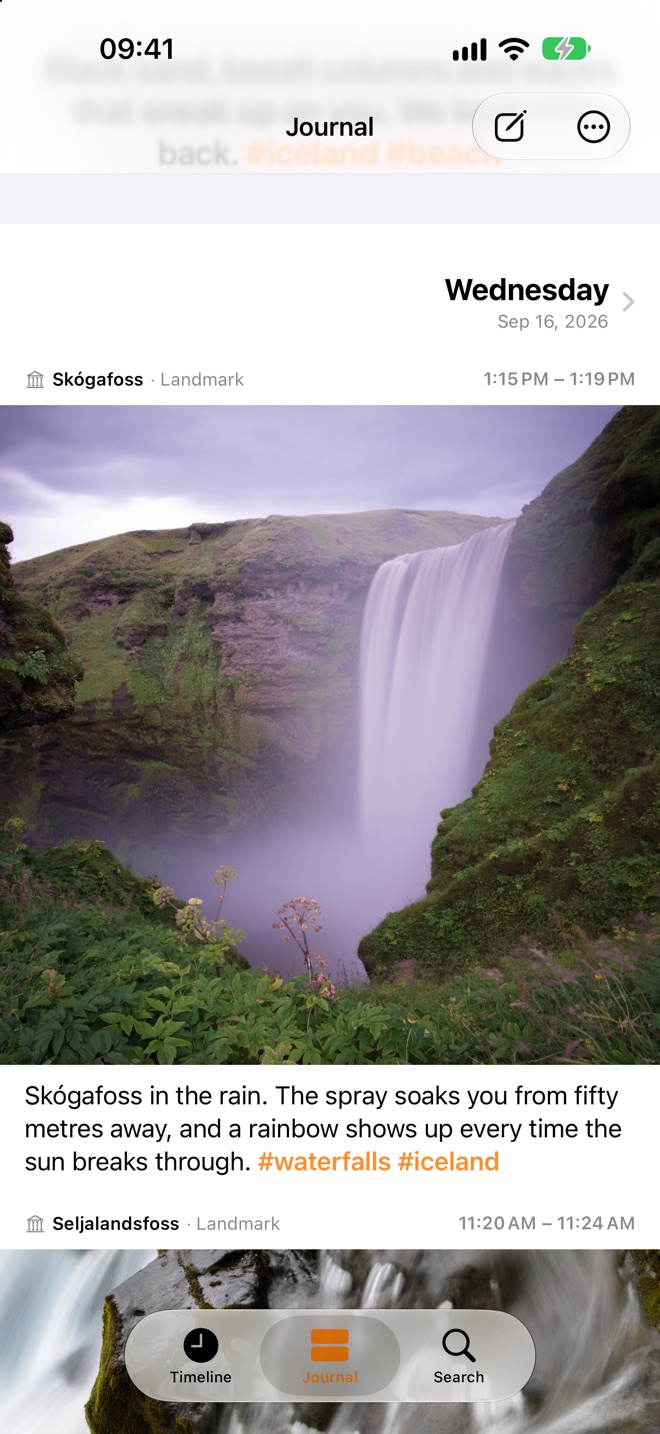
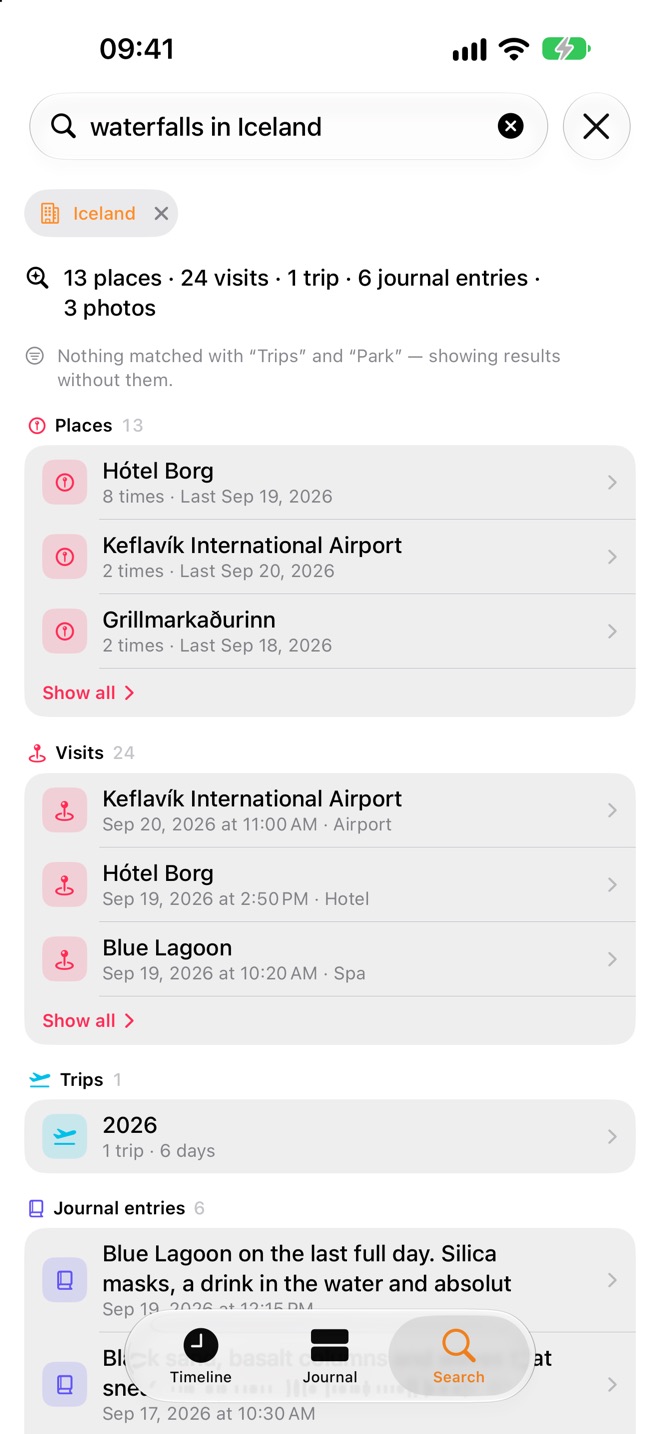
“What was the name of that waterfall in Iceland?”
Time, place and people are how memory works. Jellyspot keeps all three, automatically, so a half-remembered detail is only a question away.
Everything you did, and everything you felt about it.
Jellyspot works in the background and asks nothing of you. Open it whenever you want to look back — or to write something down.
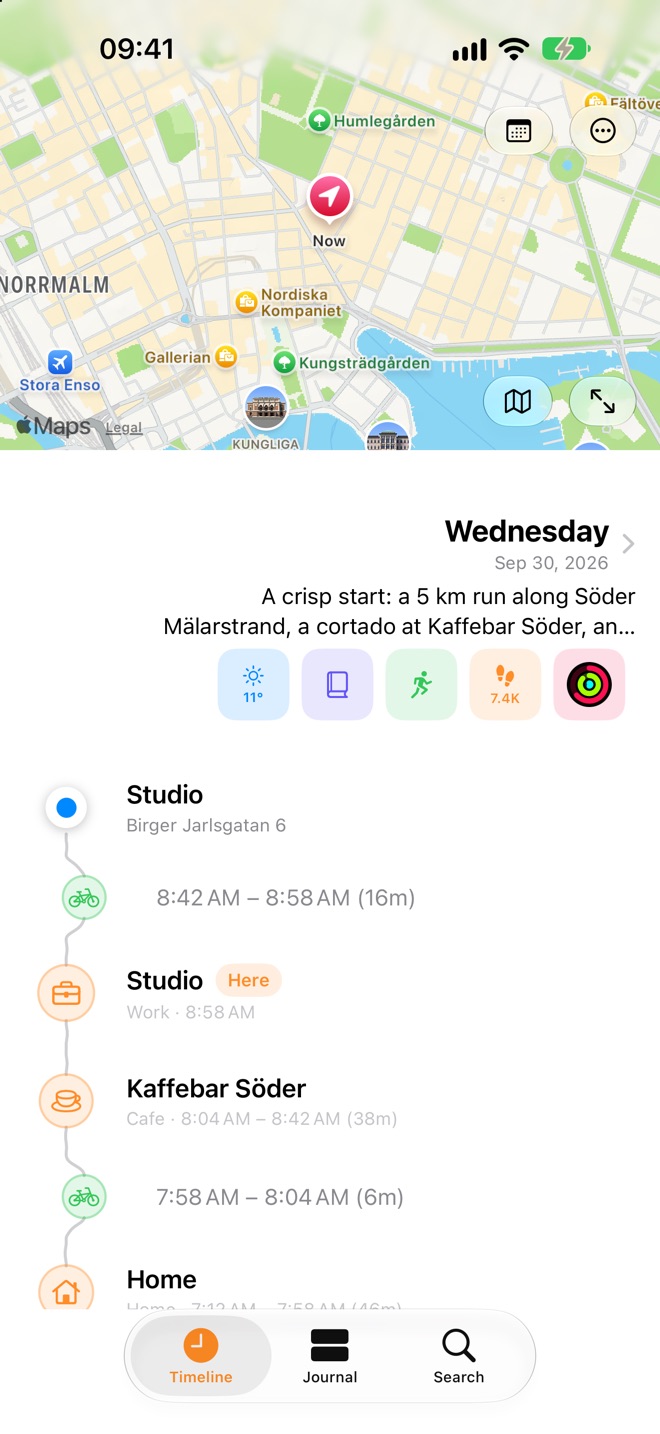
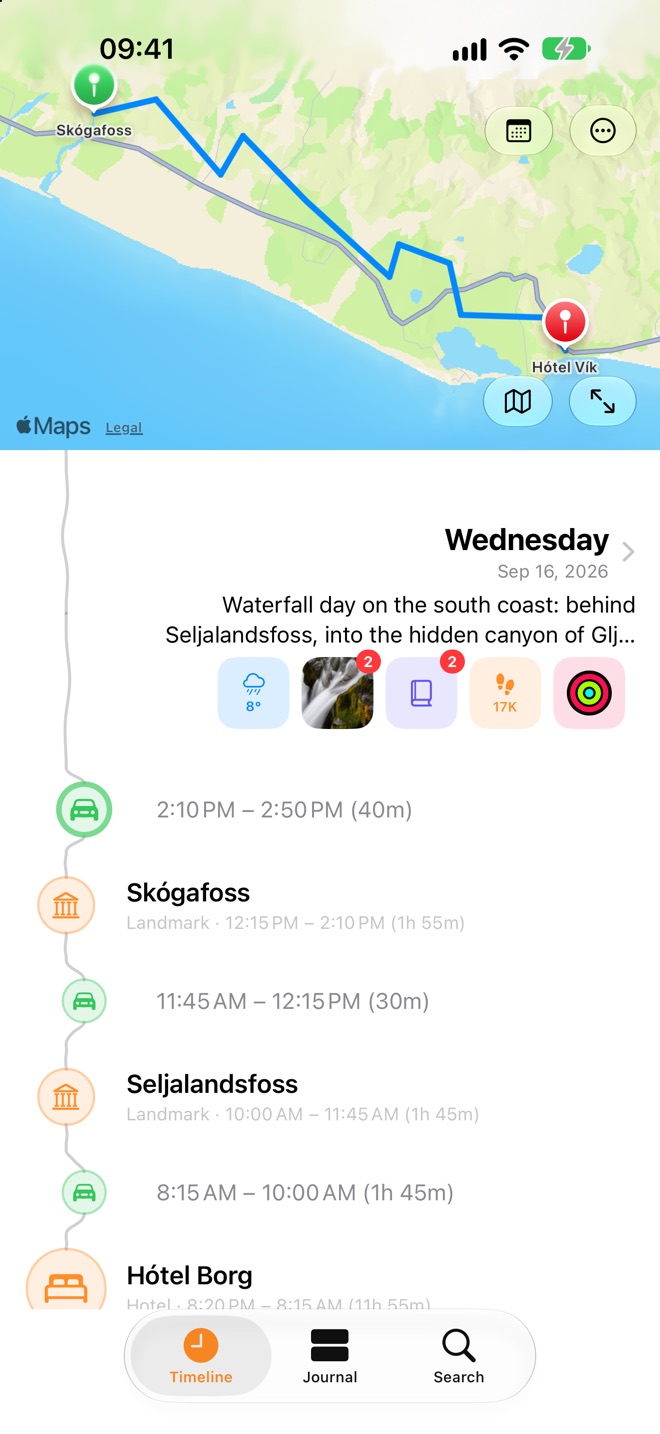
Every day, written for you.
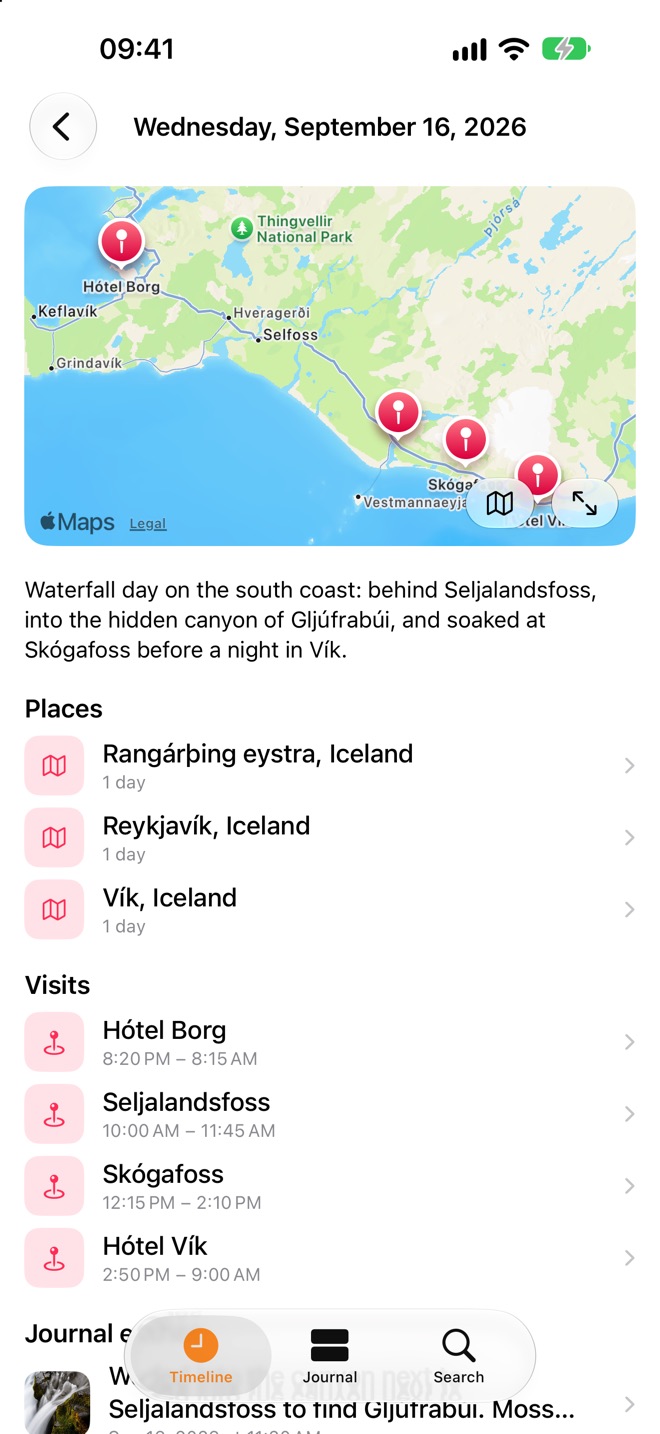
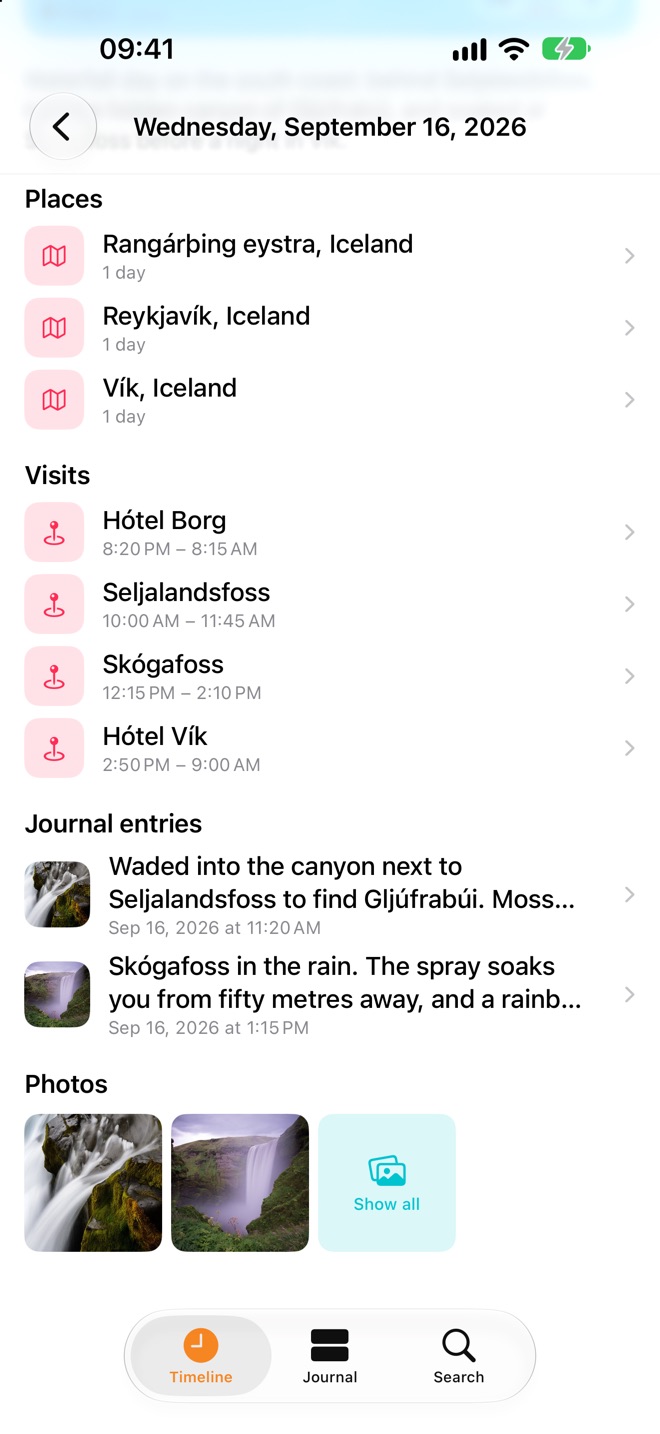
Jellyspot notices where you go and how long you stay, and builds a timeline of it in the background. Each day gets a plain-language summary, and walks, drives, rides and flights show how you got from one place to the next.
- Visits and places, recognised from Apple Maps
- Photos, steps, workouts, weather and activity rings on the day they happened
- Your photo library becomes moments on the years before you installed the app
- Jump to any day, or open it for its map, places and entries
A journal with room for everything.
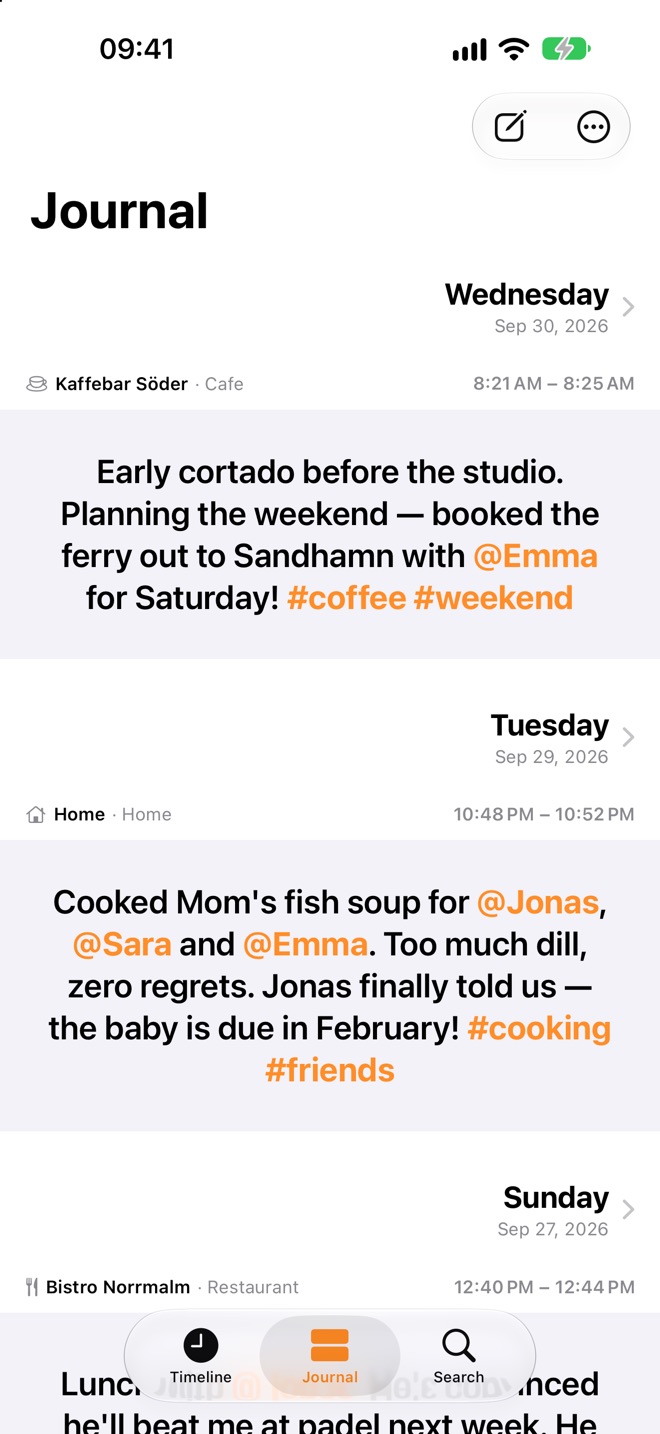
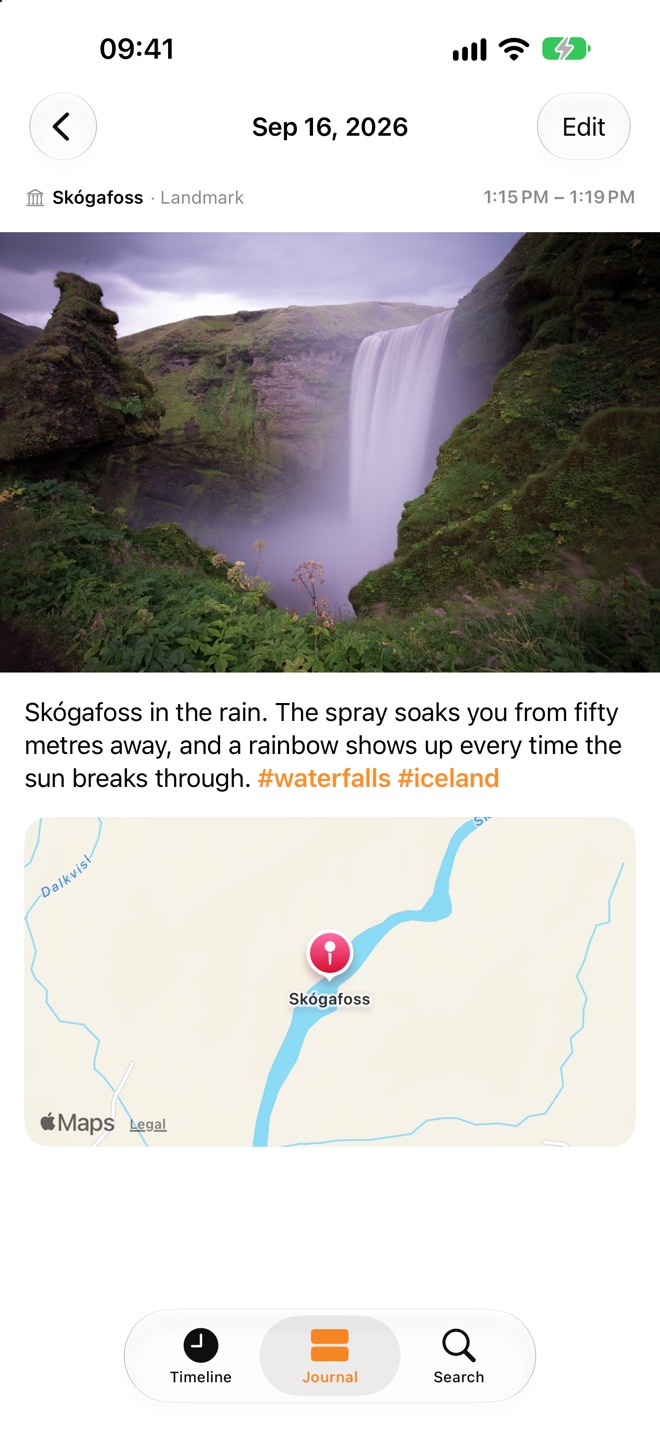
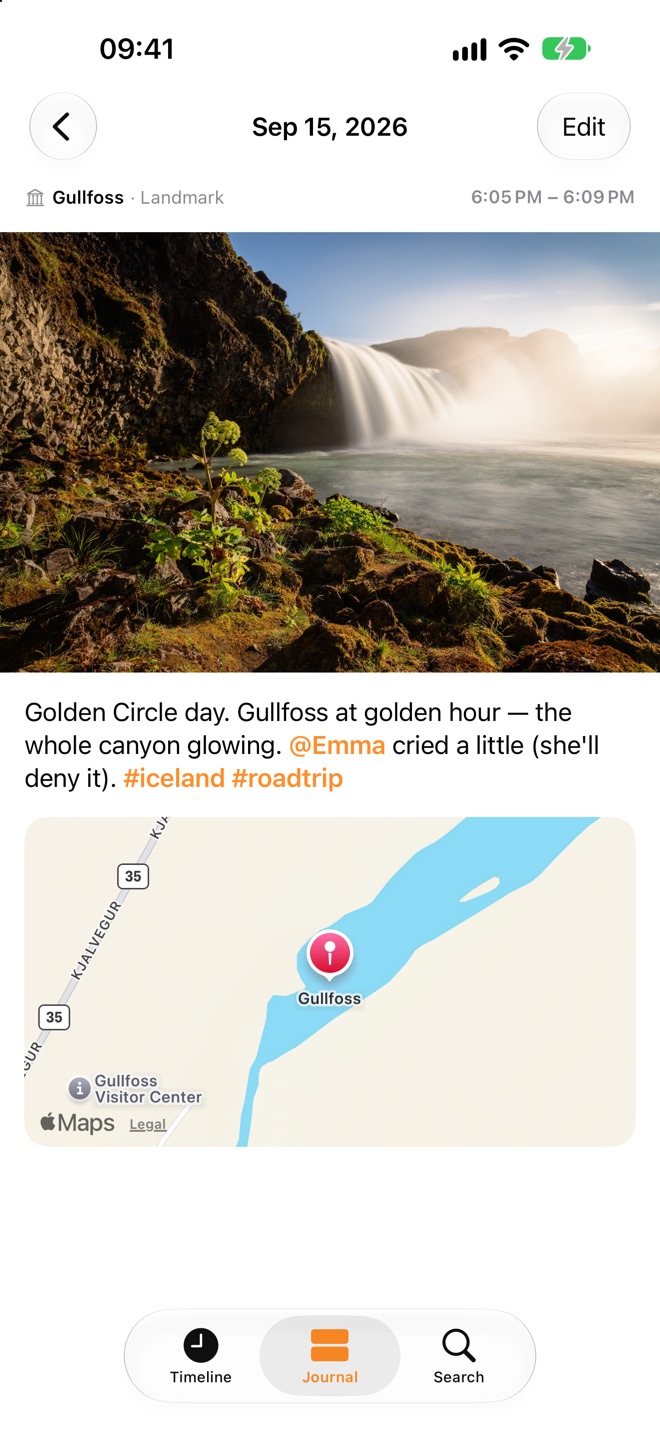
Somewhere to put the parts no sensor can capture — what you thought, who was there, why the day mattered. Every entry lands on the day and the place it belongs to, and becomes part of your timeline.
- Rich text, photos, scanned documents and PDFs
- #tags and @mentions of the people in your life
- Shoot straight into an entry, or pick from your library
- Apple’s Journaling Suggestions and optional reminders to write
Ask it like you’d ask a friend.
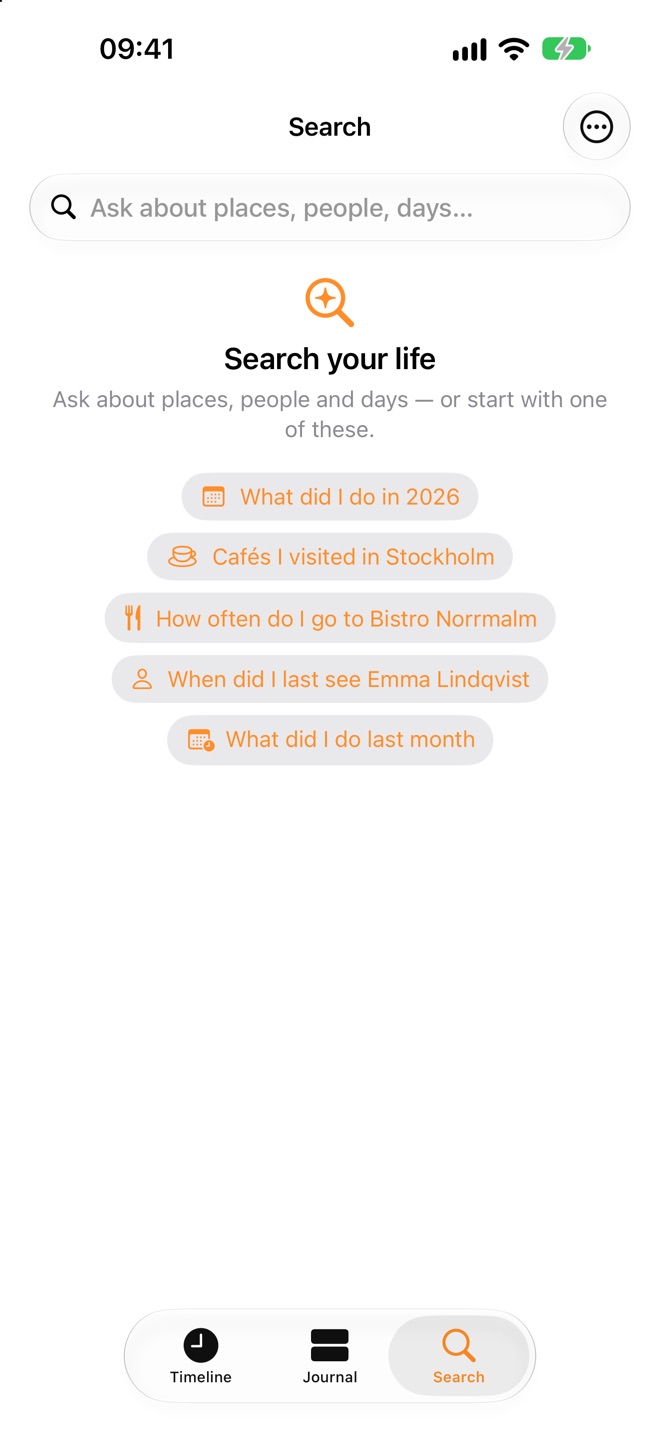
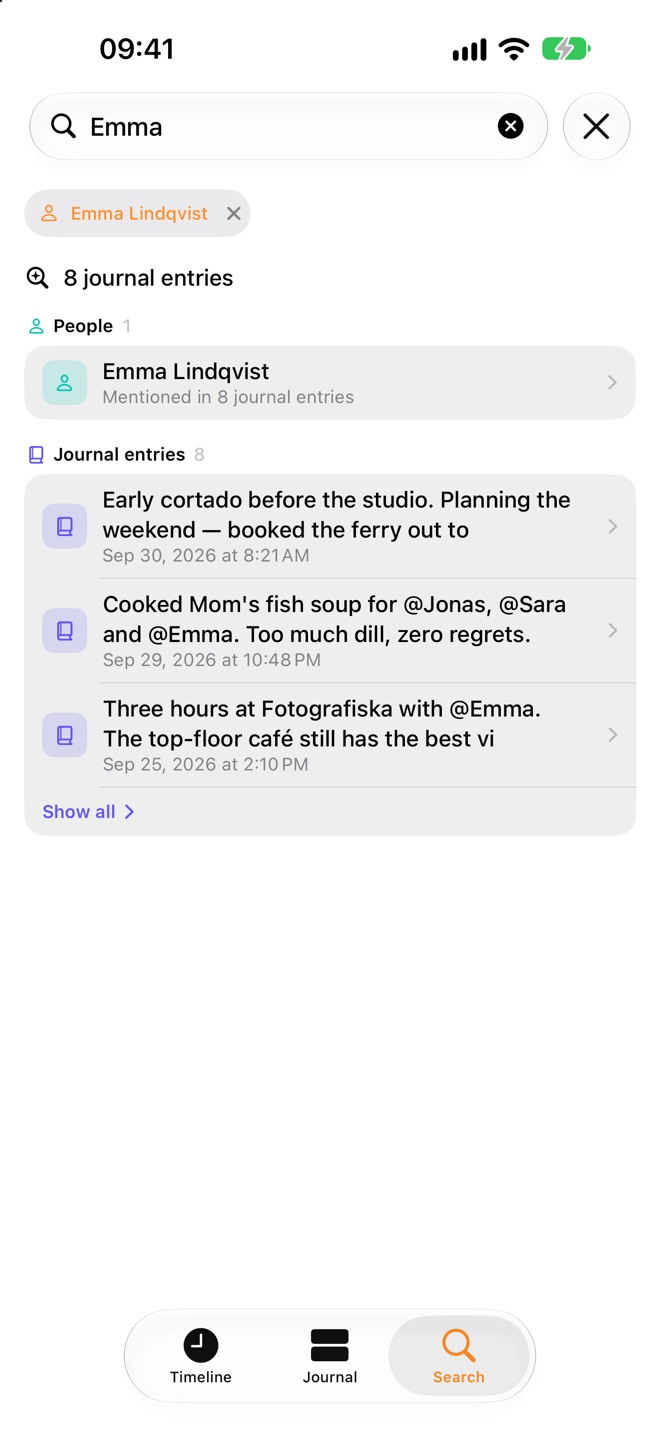
“Cafés I visited in Stockholm.” “When did I last see Emma?” “What did I do last month?” Jellyspot understands the question, finds the places, visits, trips, entries and photos that answer it — and, with Apple Intelligence, sums it up in a sentence.
- Filters for places, dates, people, trips and tags
- Results grouped into places, visits, trips, entries and photos
- A written answer on top, built from your own history
Every place keeps its own story.
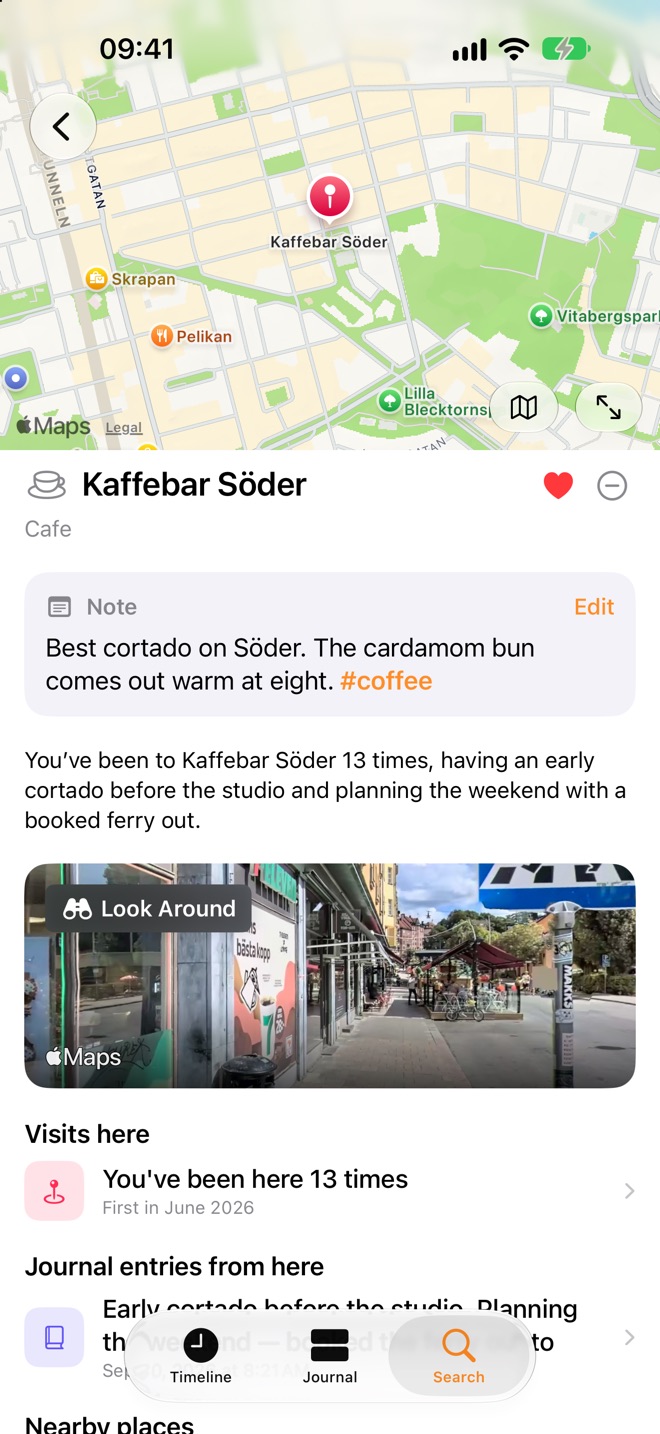
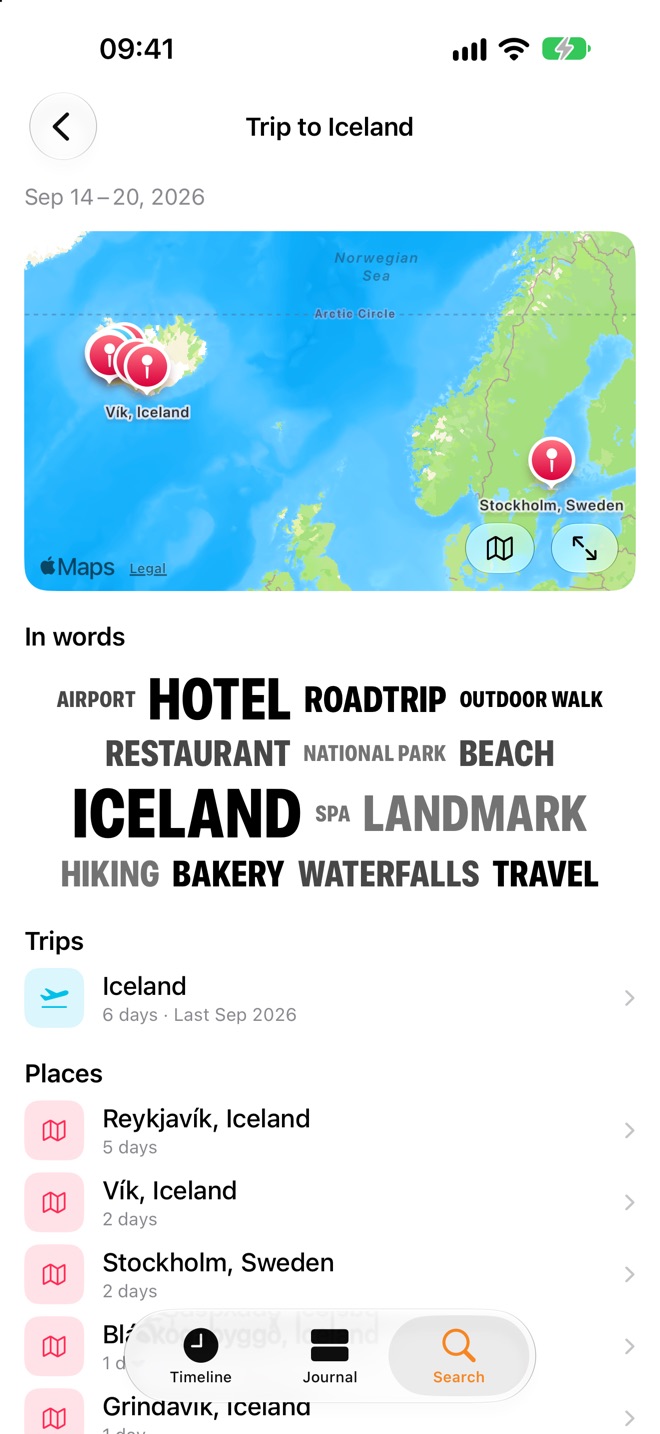
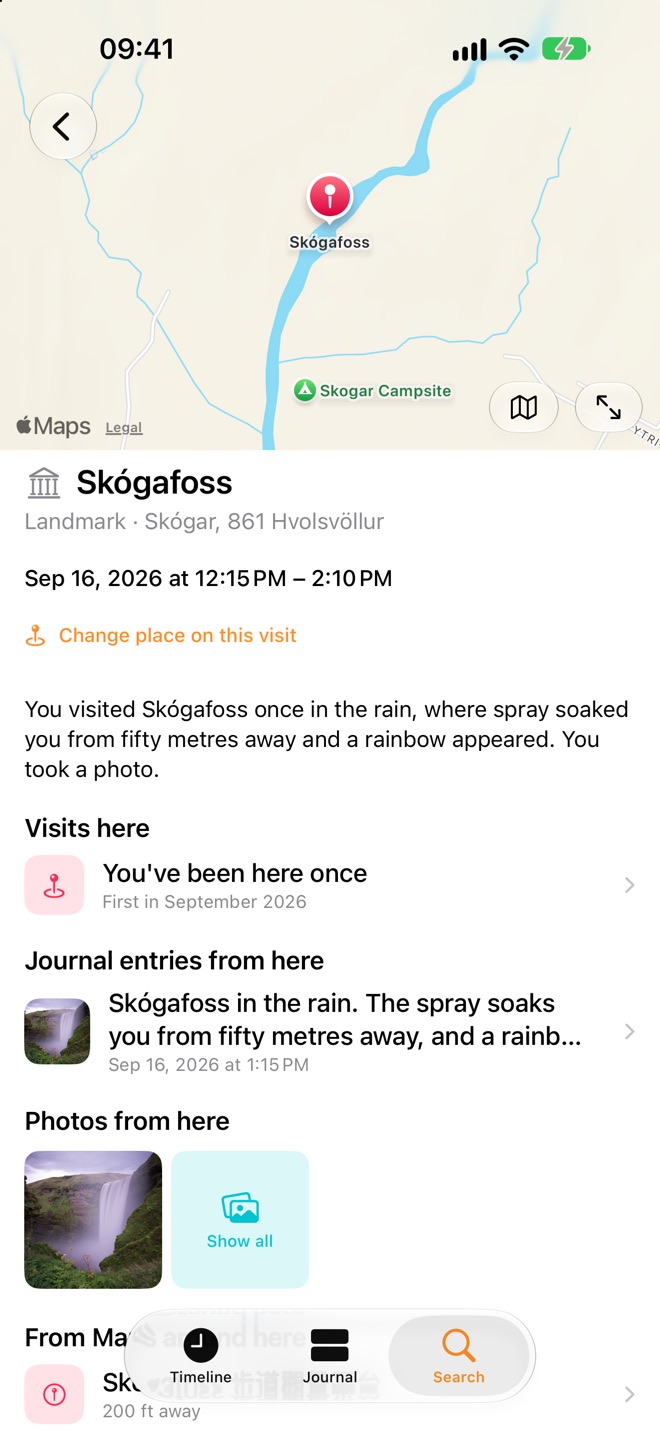
Tap any place for its whole history with you: how often you’ve been, when you were last there, the entries you wrote and the photos you took. Trips are gathered automatically, with a map, a word cloud and every stop along the way.
- Visit counts, notes and favourites for every place
- Look Around and nearby places from Apple Maps
- Name your own places — a friend’s flat, a summer house, a favourite bench
- Trips recognised on their own, from the first day to the flight home
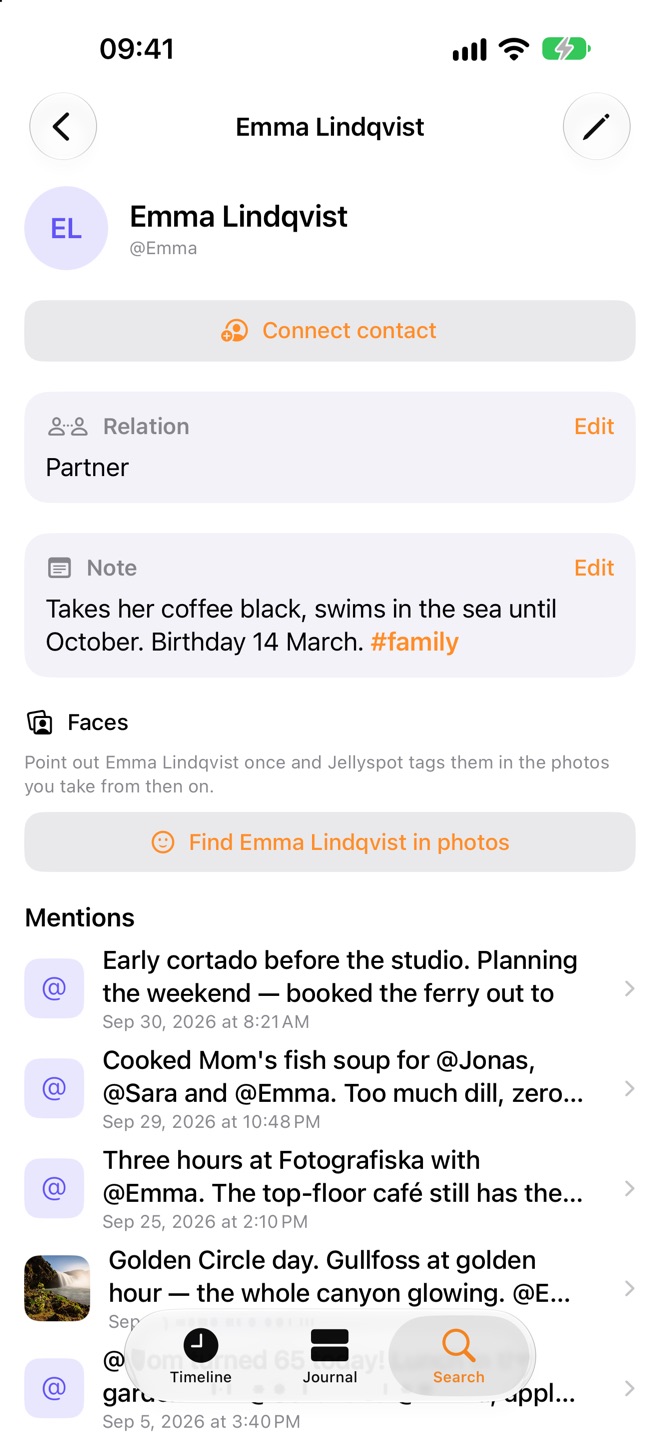
The people you see.
Mention someone with an @ and Jellyspot remembers. Every person gets a page with your notes, how you know them and every entry they appear in — and once you point them out, Jellyspot can find them in your photos, on the device.
- Connect a person to your contacts
- Notes and relations, private to you
- Face grouping that runs entirely on your iPhone
Twelve screens, one life.
Yours, and only yours.
An app that knows where you’ve been every day for years should never be an app that ships it somewhere. Your timeline, journal and photos stay on your iPhone.
Stored on your device
Your timeline, journal, people and places live in Jellyspot’s own storage on your iPhone. There is no Jellyspot cloud to upload them to, and photos are referenced, never copied.
Intelligence, the Apple way
Place recognition, trips, face grouping and image tagging run on the device. Summaries and answers use Apple Intelligence — on device, or Apple’s Private Cloud Compute, which keeps nothing.
No account, ever
There’s no sign-up, no email address and no profile. You never share your information with Jellyspot, because Jellyspot never receives it.
What does leave
Coordinates go to Apple Maps and Apple Weather to look up a place or a forecast — not tied to you. Plus anonymous usage counts, so we know which screens people use. Never your content.
Say yes a few times. It takes it from there.
Jellyspot draws on what your iPhone already records. Every source is optional — the app just knows less without it.
Location, always
The backbone of the timeline. “Always” is what lets visits and journeys record themselves while the app is closed — using iOS’s low-power location services.
Photos
Jellyspot reads the date and place your camera already wrote, and puts each photo on the right day, at the right place — even years back.
Health & motion
Steps and workouts land on the right day and place, and motion tells a walk from a bike ride. Jellyspot only reads; it never writes to Health.
Contacts
Optional. Connect the people you mention to your contacts, and name a friend’s home after them.
Just ask out loud.
Jellyspot answers questions about your own past, and takes a new entry, without you opening it.
- “Ask Jellyspot”
- “Ask my Jellyspot journal”
- “Write in Jellyspot”
- “Open Kaffebar Söder in Jellyspot”
Everything in Jellyspot is also available to Shortcuts and Spotlight.
Start remembering the details.
Install it, say yes to the permissions and forget about it. The photos you already have fill in the past on day one — and in a week you’ll have something worth looking back at.
Free trial, then Jellyspot Pro by monthly or yearly subscription. The yearly plan covers your whole Family Sharing group.